




I know some people here use Photoshop, not sure if there is another way, but here is a bump for you...
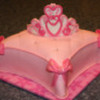
My last picture - I just set the cake on a large white cake box lid (unfolded) - and stood up a put together cake box behind it. Just happened to have one around.

Some of my backgrounds I've done in photoshop with the 'paint' function , but it's near impossible to go around the actual cake....then it looks altered. I usually just try to blend out background shapes with a color that's similar to the background of the picture. Some people use fabric to drape across the background of the cake, (kind of like a little photo studio) and it looks really good, I have been meaning to get organized enouugh to try that out. My dining room table is a really dark wood, so that's why some of my pictures end up with a dark background.

I never noticed that ... but I do notice when there is something in the background on the table near the cake or something.
I stand on a stool and zoom in on my cakes as close as can go to avoid much of my table showing.
Quote by @%username% on %date%
%body%