


I seem to only get pastel colors with my photo printer...I wanted a deep red and it just came out like a washed out orange. I have the IP3000 cannon printer...is there a setting I should change? (It said to not use the Photo paper setting in the instructions). Or am I expecting too much?
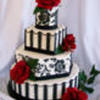
Its not going to be exactly the same as a photo but you should get a decent red... I have the ip6000 and mine come out pretty good but of course its not like putting a REAL photo on a cake...
Try messing with the settings, maybe turn up the magenta color and a bit of blue or something???? Also make sure the photo you are printing is a good quality AND is meant to be as large as you printed it.


Hello...I have the iP 1500 and so far I am very pleased with the finished product. I have noticed that I have problems with pastel colors (really light ones). They seem to wash out or fade away. But other than that, I am able to take a napkin, scan it and come out with an excellent product. I know this might sound crazy but have you checked the ink level? If it is low you will start to get different colors within a picture, because it seems to be trying to get enough ink to complete the pic sometimes. Have you checked to see if your ink carts are drying out? Have you had any problems in the past with the brand you are using? This is all I can think of at this time....hope this helps....Kim

On Canon printers, you have an option called "vivid photo." When you choose "print" you'll get the window where you set your page setup. From that choose "Properties." Then from there, choose "Effects." Check "vivid photo" and see if that helps.
Another trick is to diddle with the color settings. Again, from the front page of the printer interface, go to "Properties." There's a little area called "Color Adjustment." Choose "Manual." Then, choose "Set." You'll get another window. Go down to "Intensity" and slide the bar toward the dark square...just a little. You can overdo the intensity stuff and get jarring colors.
Always make sure you have"High" chosen on the print quality. Also, always make sure you have "print preview" selected so you can bail out of the printout, if you don't like it. This is especially important if you diddle with the intensity button. It can give you jarring colors if you're too heavy-handed with it. You want the picture to be a little darker on your screen than you really want it....but not wierd. 
Another thing you can do is...just under the intensity slider is a brightness drop-down box. You can choose "Dark" to try to help it some.
So far, all I've had to do is the "vivid photo" part, but I haven't been trying to do red. You might need to do more than one operation. If I were having a problem, I'd probably do "vivid photo" and "dark" and save "intensity" for the last resort.
Hope this helps!
Suzette
I meant to add that my Canon reverts back to standard print quality between every print. Yours is probably the same, so you must be sure to reset it to high quality. That alone will make a big difference.
They tell you to use plain paper settings because photo paper takes less ink. The paper is less absorbent than plain paper. I made that mistake printing on fabric once. I wanted photo-quality prints, and so I chose "photo paper." Someone 'splained to me that I was shooting myself in the foot.
Anyway...the Canon comes with lots of bells and whistles. Hope one of them works for you.
Didn't mean to take over this thread, but thought y'all might want to see this printout I just did, using just the "vivid photo" setting and "high quality." Of course, the art was bright to start with. It's a garbage in/garbage out thing. But, anyway...this printout looks identical to what I was seeing on my screen.
I have the ip1500.


Hi Crimsicle, I was reading your post about your settings changing. I am wondering if you go into the main printer folder and check the preferences there, if your settings will hold from time to time. They should if you do it like this.
Have a good day
Jeanne in OHio

I seem to only get pastel colors with my photo printer...I wanted a deep red and it just came out like a washed out orange. I have the IP3000 cannon printer...is there a setting I should change? (It said to not use the Photo paper setting in the instructions). Or am I expecting too much?
I just thought i'd add my two cents to this thread.
I recently did an album of my cake photos to take to a bridal expo, and i also did some postcards that got printed professionally. Anyhoo, the colour set up on my pc was the same, BUT when they were printed it was a dramatic difference. WHY?? Well our photos, JPG are usually saved with a colour code of RGB(Red/Green/Blue), RBG is what printers use to print our photos from film, our home printers use a different colour code CYMK(Cyan, Magenta, Yellow, Black), and so did the professional printer, so the colours won't be true to the colours you can see on your pc.
Anyhoo, i use Photoshop so the colour coding can be easily set when i know where the picture will be printed. Dunno with other programs, but it'd be something worth looking into
cheers
Nati
That is a cool idea..can I ask how you set up your photoshop to emulate the colors it would print?
This is how you do it.
I hope you can see it in the image cause i had to reduce it in order to get it on here ; )
Nati

Quote by @%username% on %date%
%body%