



I thought I would share this as another way to make picture collages. That way you can show multiple angles of your cakes, or close ups of details.
If you have Microsoft Office, open Powerpoint. Choose a blank slide. Insert the pictures you want to use (very easy to resize and even crop pictures in Powerpoint). You can add a text box to watermark your photo. You can add a background color by choosing format, background. You can even insert Clipart. Now, the important part......choose file, save as. Under save as type click on the down arrow and choose JPEG file interchange format. Keep in mind this is going to be a large file, so you will probably have to open it and resize it in a Photo Editor (Microsoft Office Picture Manager is easy to use) before you can upload the picture onto CC.
Here is an example I did today. I hope this helps!




Another option if you do not have PowerPoint is to use Microsoft Publisher - which I use for all of my collages. It is very easy and you just save as a picture to jpeg file.

Thank you so much for posting this. Do you know what I could use for a MAC? I don't have the Microsoft office on mine yet....too expensive.
Thanks!!!

I'm not sure what you could use for Mac. Does it come with any photo editing software or something like Paint?
Publisher is also good but you have to have Office 2003 or better. It didn't come with the software before that.
The collage is the cake I did that never made it to the front page yesterday. If you wanna thank me go look at it and make me feel better! 
If your make has Appleworks, you can use the drawing program to make a mosaic. I use a mac, and although I've never made a photo mosaic, I've played around with the drawing program. It took me a few hours when I first started to figure out how to do what I wanted. Now the program is really easy to use, and there are tons of options available for you to customize your mosaic. Plus you can design a master template and save your designs as jpegs or other picture file formats.
Thanks! I'll have to see if my macbook has it. I just got it a few months ago so I'm barely getting used to it. I'm in the process of getting Photoshop too.
Thanks!!

i have photoshop and it's easy to use.  i'd love to help anyone just PM me.
To those who have photoshop, may be this would help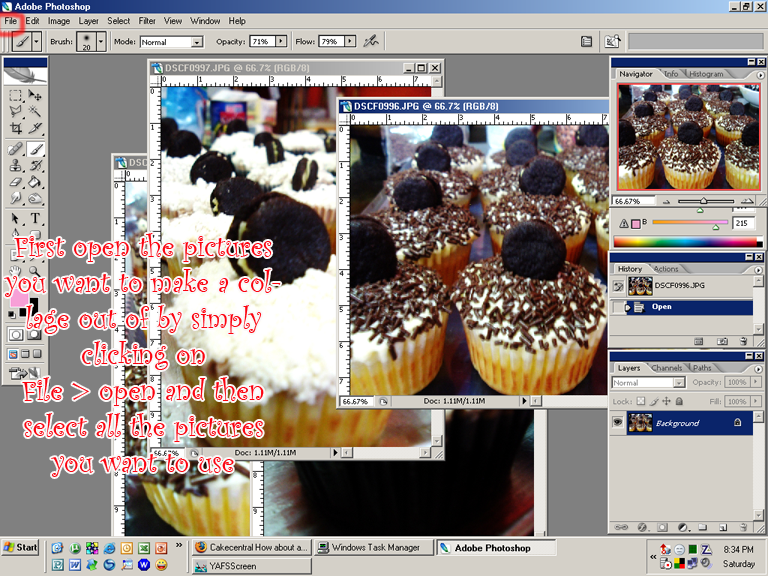
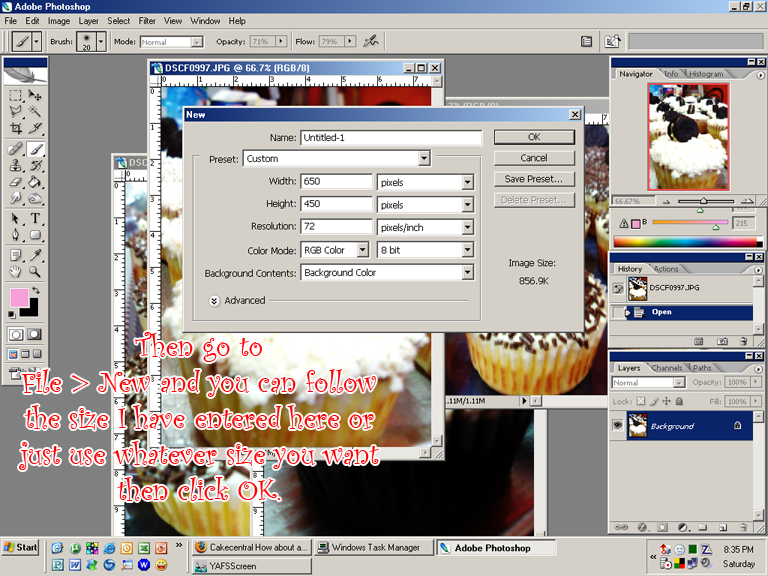
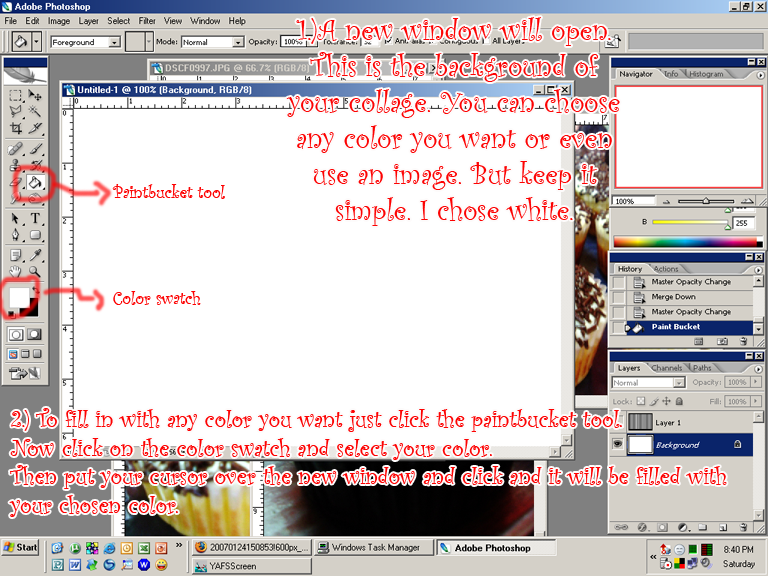
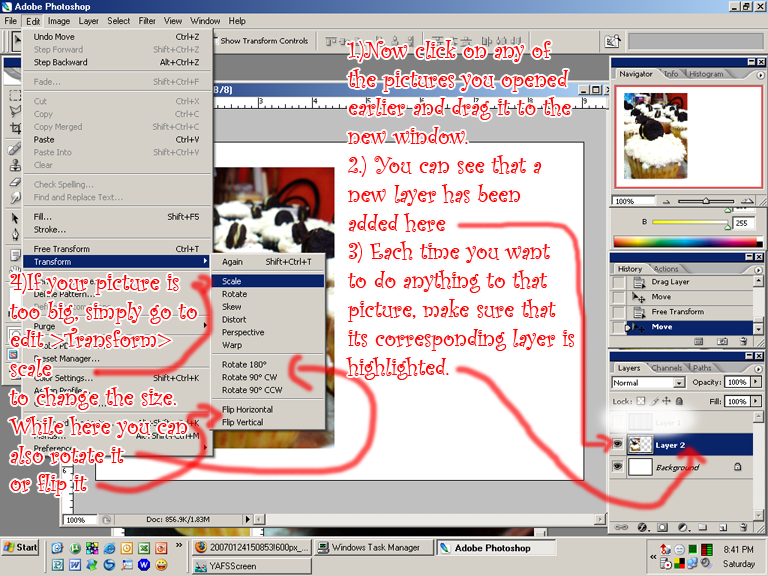
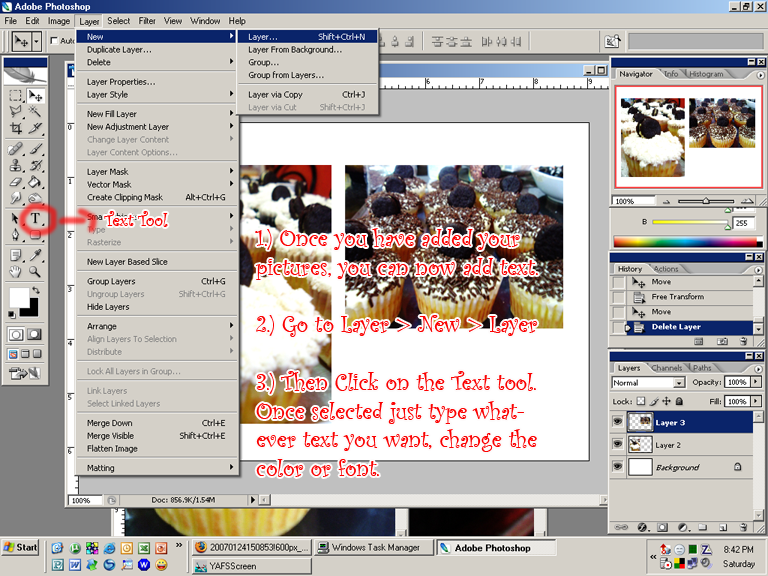
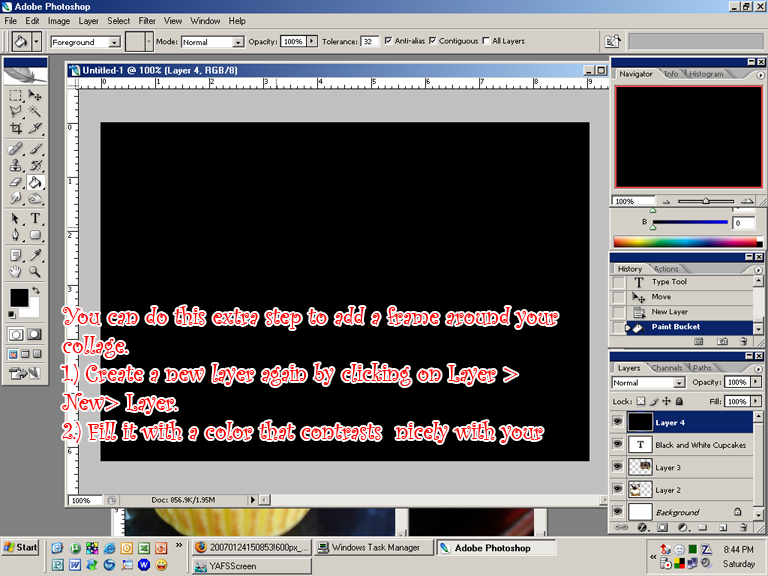
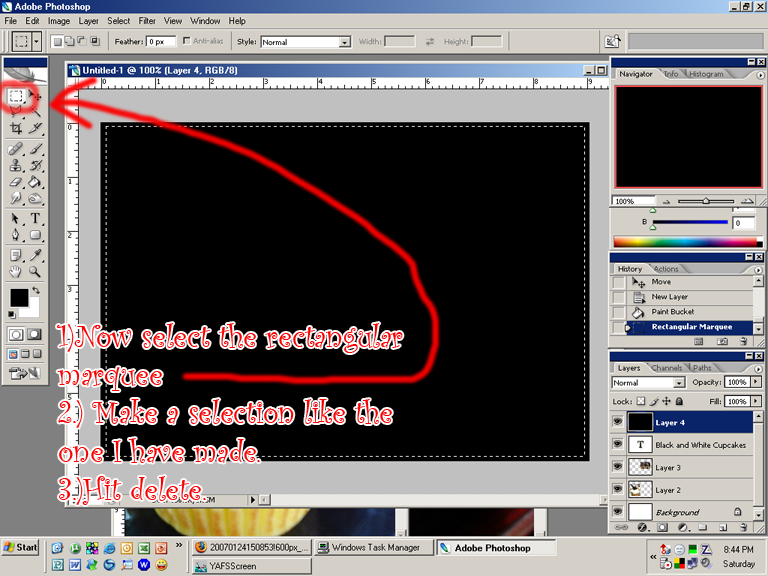
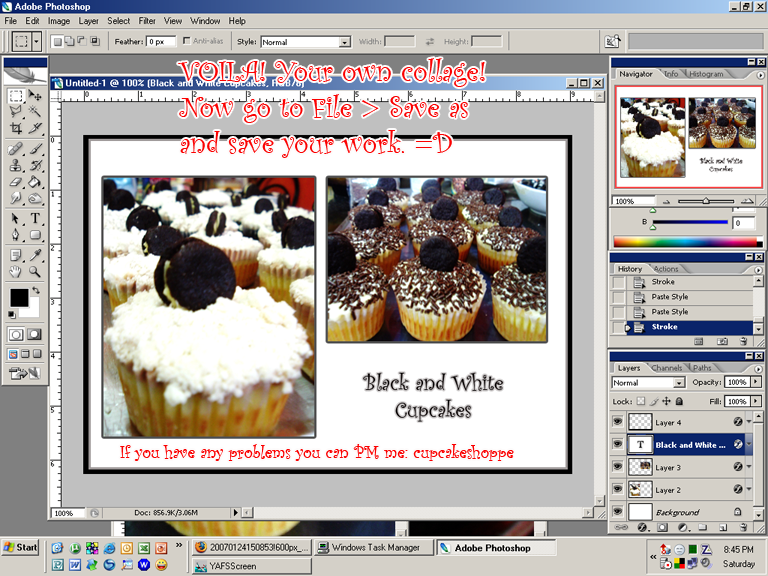
*Make sure you save your image as jpeg or png. DO NOT SAVE IT AS .PSD or you won't be able to upload it.
 no problem!
This is a great tutorial...I had not seen it. I hope this helps bump to the top of posts with all the photo editting being done in the galleries...
Again, thanks for the tutorial!


I use paint shop pro. It's a lot cheaper than photoshop and it's really easy to learn to use. I like to make collages sometimes where the edges blend together or into the background, and the easy clip art in paint shop pro is really useful for that. (I sound like a commercial...but seriously, it's easy to use and fun).
Here's a couple I've done with paint shop pro.


if you upload your pictures to photobucket, you can also edit them there. you can do watermarks and layers too. so cool.
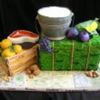
Okay I hadn't seen this thread..... I just did one for Microsoft Office Publisher.....
http://forum.cakecentral.com/cake-decorating-ftopicp-5936655.html#5936655
The nice thing is we don't have to do collages anymore. You can post one picture and then post more as alternate angles.
If you still want to post a collage save it as a .jpg and then take it to a resize program online to make it smaller for the site.
If you need a step by step on resizing it I posted a link to my collage maker tutorial right above your post. at the end of my tutorial are directions for resizing it.
Quote by @%username% on %date%
%body%